Conducting a literature review with Amytis allows you to search across journals, databases and include your own literature in an AI-assisted paper review.

Freddie Starkey
Co-founder & CTO

Conducting a literature review with Amytis allows you to search across journals, databases and include your own literature in an AI-assisted paper review. Amytis combines these sources onto a shared research canvas, where papers become File cards that can be read, organised, tagged, connected to related data, and searched with retrieval-augmented generation (RAG).
Search and review your existing research papers
PDFs, Word documents, Markdown files, and text files can be dropped directly onto the Amytis canvas, where they become File nodes. You can also attach a document to an empty File card, and PDFs remain Files so that Amytis can index their text for later retrieval.
When a file-embedding model is configured in Settings (search for ‘Agent’), Amytis indexes each document in the background. Hovering over a File card shows whether indexing is in progress, complete, failed, or disabled, providing a quick indication of which papers are available for semantic search.
Once indexed, research papers can be searched through a File-content Query card. Connect the papers you want to review to the query, or collect them in the same folder or bubble, then enter a natural-language question such as “Which papers report off-target editing?”, “What assays were used to measure expression?”, or “What limitations do these studies identify?” If no files are connected, the query can search across all indexed files on the graph.
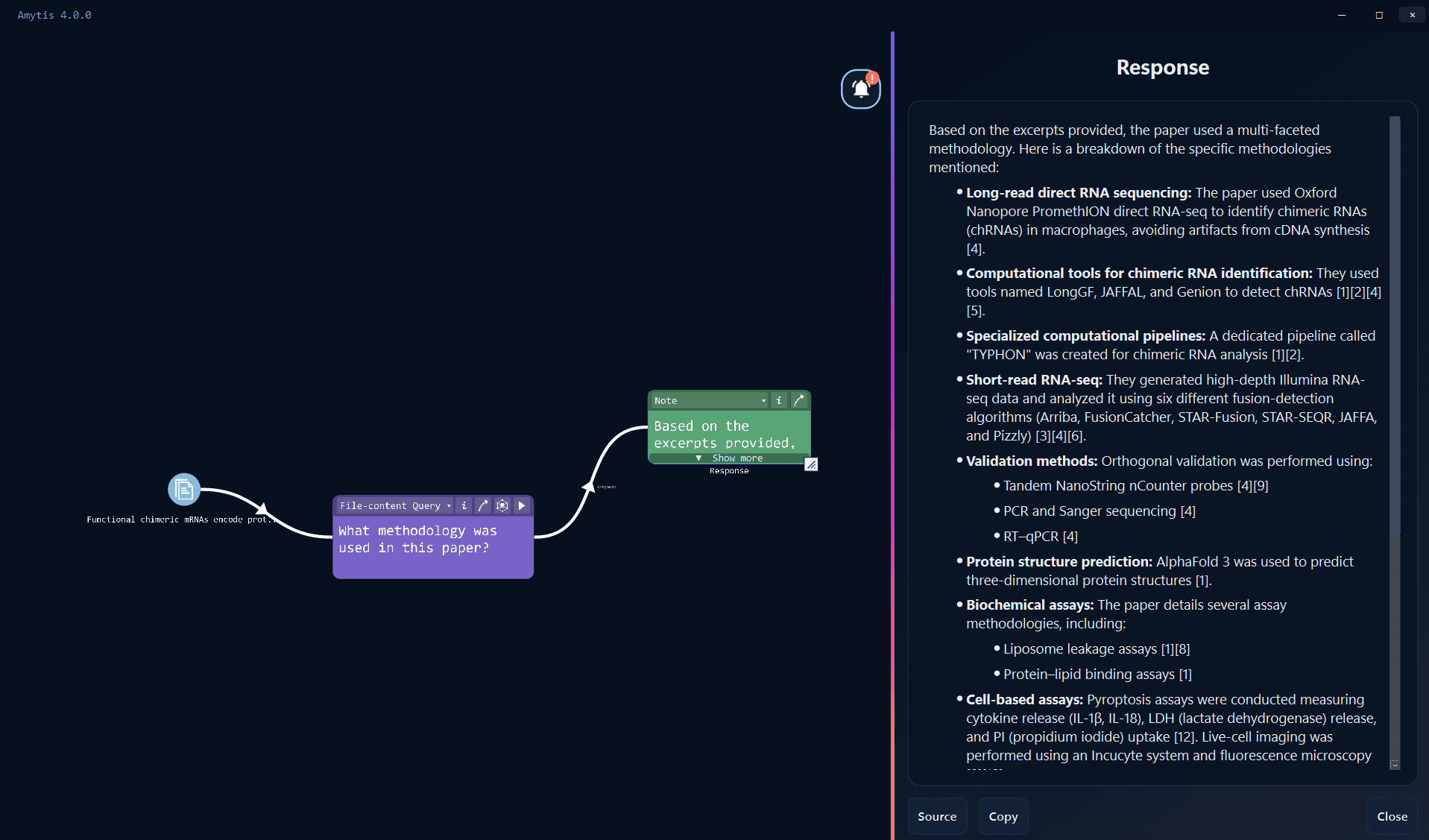
Amytis embeds the question and retrieves relevant passages using semantic similarity combined with keyword and phrase matching. These excerpts are passed to the selected chat model, which produces an answer grounded in the retrieved text, while Referenced files links in the resulting note lead back to the source cards.
This RAG-based literature review process is useful when a question spans several papers because the search operates on passages within the documents rather than relying on titles, filenames, or manually assigned keywords. A collection of papers about gene editing, for example, can be queried for particular delivery methods, assays, limitations, or reported effects without opening and searching every PDF separately.
Search and import academic literature with Journal mode
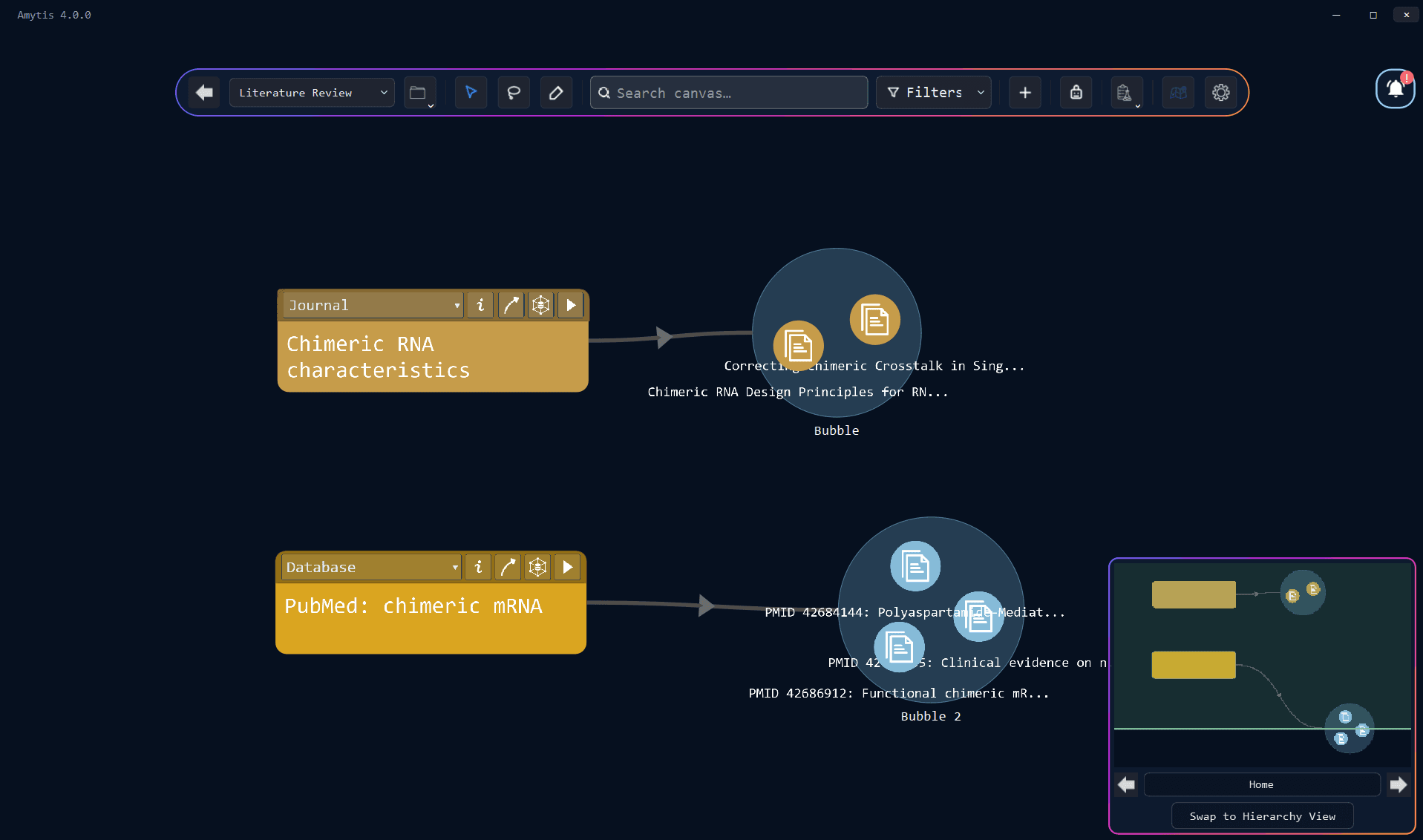
A Journal card searches for new research papers across scholarly indexes and brings useful results onto the same canvas as your existing literature. Journal search uses academic APIs directly and does not require an LLM, although a contact email or publisher login must first be configured under Settings → Integrations → Journals.
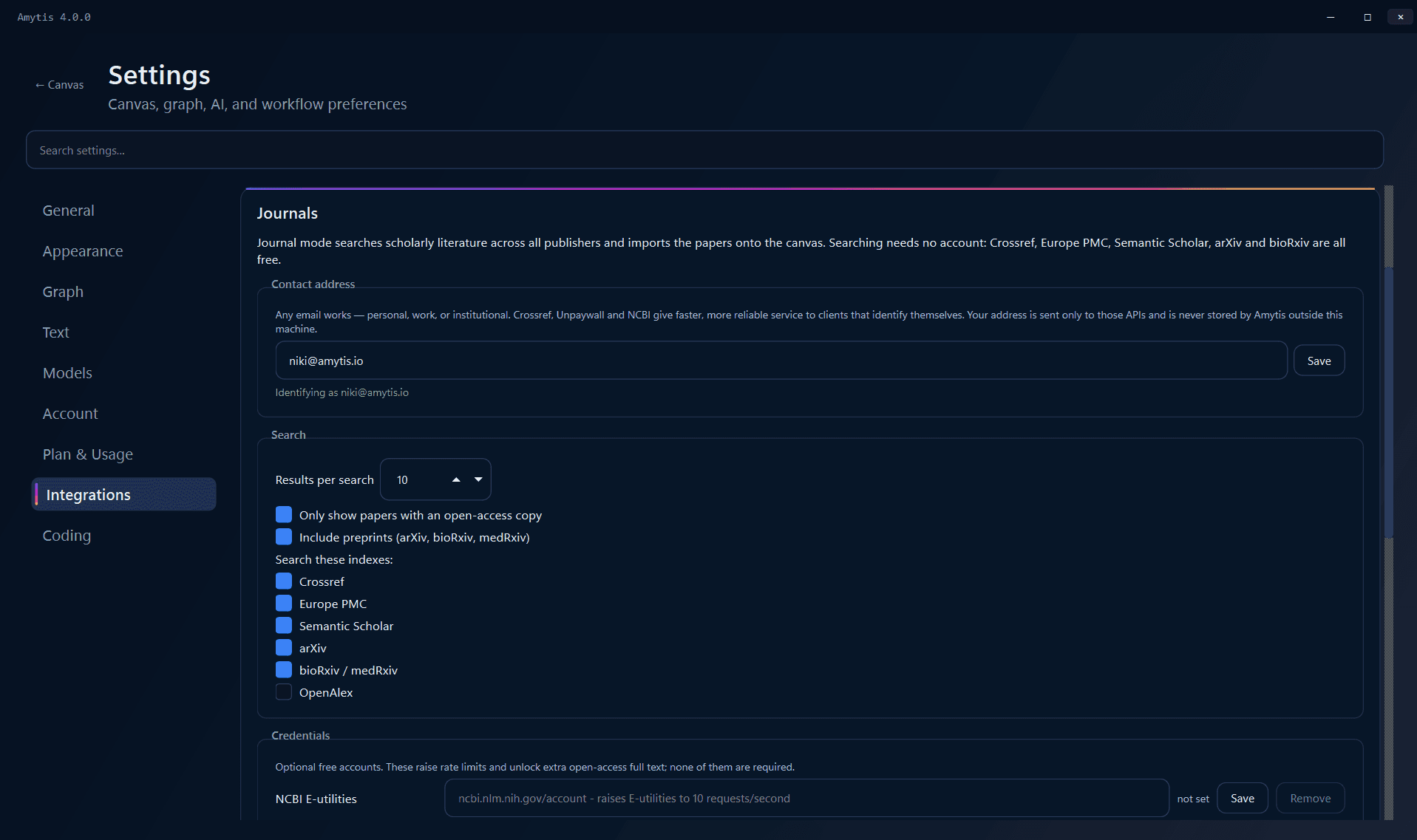
The contact email is used with services including Crossref, Unpaywall, and NCBI and is stored locally. Journal settings also control the default number of search results, whether searches should return only open-access papers, whether preprints should be included, and which academic indexes Amytis queries.
The available sources cover different parts of the scholarly literature. Crossref provides broad DOI coverage, Europe PMC specialises in biomedical research and open full text, Semantic Scholar contributes ranking and citation information, while arXiv and bioRxiv/medRxiv provide access to preprints. OpenAlex can be enabled separately, with additional integrations available for NCBI, CORE, Springer Nature, and IEEE.
Institutional text-and-data-mining credentials can also be configured for supported publishers, including Elsevier, Wiley, and Springer Nature, subject to the relevant institutional licence.
A Journal search can begin with a research topic, author, or DOI and can be narrowed by publication year, result count, open-access status, and preprint inclusion. Amytis searches enabled indexes in parallel, combines their rankings using reciprocal rank fusion, and removes duplicate records primarily by matching DOIs.
Each result includes its title and citation alongside available information such as Open access, Preprint, citation count, and DOI, while hovering over the result reveals the abstract. These details provide a compact first-pass literature screening process before a paper is added to the canvas.
After you select a search result, Amytis attempts to retrieve the full research paper through available legal sources, prioritising direct and open-access routes before using configured institutional access.
Search PubMed and PMC with Database mode
Biomedical literature can also enter Amytis through Database mode, which provides a more direct path into NCBI resources. Natural-language instructions such as “fetch papers from PubMed” or “search PMC for open-access PDFs” can retrieve PubMed and PubMed Central records as File nodes.
Where PMC provides an open-access paper, Amytis can import the available full text; where it does not, the corresponding abstract can still be brought onto the canvas. An NCBI API key configured in Journal settings increases the shared E-utilities rate limit and also supports Amytis workflows involving other NCBI resources such as genes, proteins, and GEO.
Journal and Database modes consequently serve different search patterns within the same literature review workflow: Journal mode provides publisher-agnostic discovery across several scholarly indexes, while Database mode supports Entrez-style searches within biomedical resources.
Use RAG to review literature across multiple papers
Once papers have been collected, the canvas becomes the working surface for the literature review. Existing PDFs can sit alongside Journal results, PubMed records, open-access papers, and metadata-only references, while folders, bubbles, tags, connections, and Note cards provide ways to organise the collection around research topics.
A File-content Query can search a selected group of papers for a specific issue, such as “What delivery methods are used across these studies?” or “Which papers report statistically significant improvements?”
Shared scholarly identifiers provide another useful layer of organisation. DOI, PubMed, and PMC identifiers associated with literature imports can connect papers with related records already present on the graph, allowing a research paper to sit alongside a gene, protein, dataset, or other relevant material rather than remaining an isolated citation.
The resulting AI literature review workflow remains centred on the papers themselves. Journal mode and Database mode find research literature, File nodes preserve the documents and their metadata, embeddings make their contents searchable, and RAG-based Query retrieves evidence from the indexed text while maintaining links to the underlying sources. Each paper remains visible as a card on the canvas, close to the searches that found it and the notes, queries, and research objects that give it context.
Get started